


Themify: Theme & Icon Changer
3.7660.00 Reviews
App Specs
- Version
- 1.30.8
- Updated On
- License
- Free
- Downloads
- 5,000,000+
- Developer
- AIBY Inc.
- Categories
- Personalization
- Platform
- Android, iOS
Screenshots
 Analysis by AppCompare
I like Themify: Theme & Icon Changer best as a quick way to give an Android home screen a more deliberate look without having to build every element from scratch. Its appeal is the combination of themes, icons, widgets, and wallpapers in one personalization app. That convenience has limits: if you want complete control over every launcher detail, or prefer the phone’s default appearance, it may feel less useful than changing things yourself.
It’s a free app from AIBY Inc., with optional in-app purchases priced from $1.99 to $19.99 per item. The Everyone age rating makes it broadly accessible, while the average rating of 3.7 from around 104,000 ratings suggests a mixed but substantial audience. I’d treat it as a style toolkit, not a promise that every theme will fit every phone or personal taste.
A coordinated look without starting from zero
The most useful part of an all-in-one customization app is being able to think about the home screen as a whole. A wallpaper that looks great by itself can clash with brightly colored icons; a widget can take up space without helping the layout. Themify brings those choices together, making it easier to aim for a consistent mood rather than collecting separate downloads and hoping they work together.
That matters in ordinary use. If I want a calmer screen for work, I can look for a restrained visual direction and consider how the wallpaper, icons, and widgets sit together. For a more playful look, I can change the feel without treating the phone like a permanent design project. The practical benefit is not that customization is effortless, but that the app gives me a place to explore combinations.
There is a useful distinction between choosing a complete theme and assembling a personal mix. A ready-made theme is the quicker route when I want a coherent appearance with less decision-making. Mixing elements is better when I like a wallpaper but do not want its matching icons, or when I want to keep a useful widget while changing the rest of the screen. I would start with one visual anchor, such as the wallpaper, then choose icons and widgets around it; that avoids making several competing choices at once.
Where the icon tools earn their place
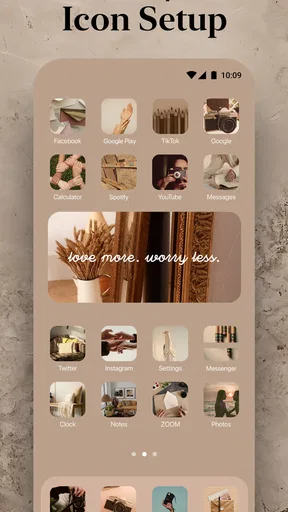
The icon packs are valuable when the default app symbols interrupt the look I am trying to create. A consistent pack can make a crowded home screen feel more considered, while the option to use personal photos gives the setup a more individual touch. That personal route is best used selectively: a photo may be meaningful, but it can be harder to recognize at a glance than a familiar app symbol.
Before changing a full screen, I’d try a small group of icons and check whether I can still find the apps I use most. This is a simple trade-off between appearance and quick recognition. If the design makes everyday actions slower, the neatest-looking pack is not necessarily the right one. Keeping frequently used apps visually easy to identify can make a custom layout feel practical rather than decorative.
Worth Reading Before You Choose

EA SPORTS FC Mobile 26 Is a Bigger Football Game, but It Takes Time

Flipboard Shows What News Apps Must Do Beyond the Feed

Switching to Android Auto Means Rethinking Your Driving Routine

Google Calendar Makes a Crowded Week Easier to Manage

Ludo King Makes the Most of the Minutes Between Plans

Baby Panda World Brings Quick Play to Modern Phones, but Its Game Library Feels Busy
Themify is also a better fit for people who enjoy refreshing their phone now and then than for someone who wants to set a screen once and forget it. Browsing for a new style can be part of the appeal, but it can also turn into time spent comparing options. I’d decide what I want to change before opening the app—icons, overall mood, or a functional widget—so that exploring remains focused instead of becoming an endless hunt for a perfect combination.
Customize Your Phone Like Never Before
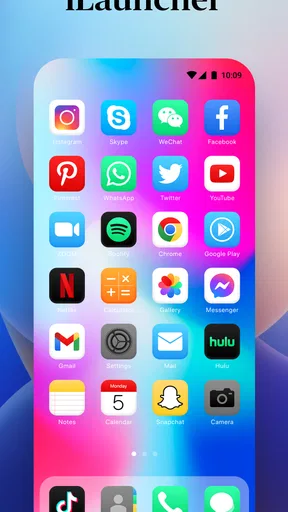
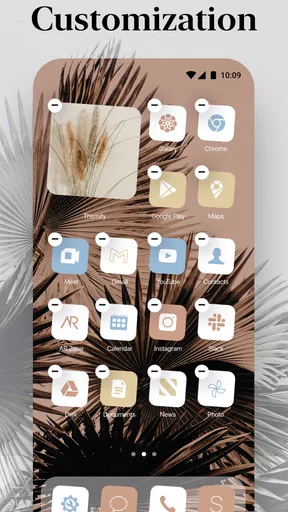
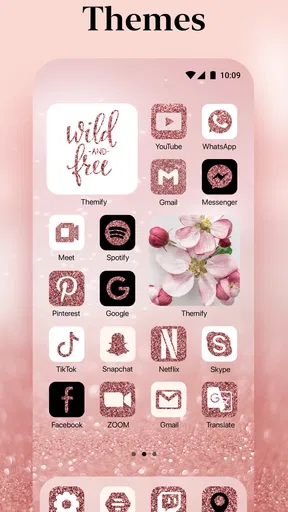
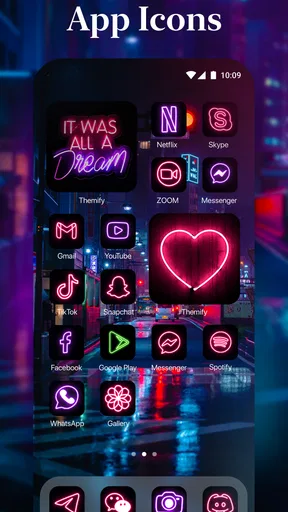
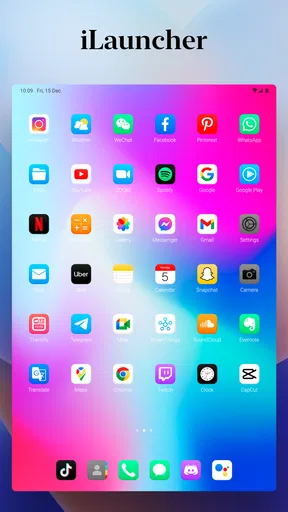
Let’s dive right into what makes Themify: Theme & Icon Changer stand out. At its core, this app is all about personalization. We’re talking about changing themes, icons, and even widgets to give your device a fresh new look. The app offers a plethora of themes, ranging from minimalist designs to vibrant, colorful layouts. Whether you’re someone who’s into sleek, professional vibes or more playful, whimsical designs, Themify has got your back.
One of the first things I noticed was how easy it is to navigate through the app. Trust me, I’m not exactly a tech wizard, but the user-friendly interface made the whole process feel like a breeze. You start by browsing through the available themes and icon packs, which are neatly categorized. And once you find the one that tickles your fancy, it’s just a tap away from being applied.
Icon Packs Galore
Now, let’s talk about icons. If you’re tired of the standard, boring icons on your apps, this is where Themify really shines. The app offers a wide array of icon packs that you can mix and match to create a unique look. From retro to futuristic styles, there’s something for everyone. And the best part? You can even use your own photos to create custom icons. How cool is that?
Applying these icons is straightforward. Once you’ve selected an icon pack, it’s simply a matter of assigning the icons to the apps on your home screen. The app provides clear instructions, so even if you’re a newbie, you’ll get the hang of it in no time.
For everyday use, I’d treat icon changes as a small trial rather than a complete overhaul. Pick the apps you reach for most and see whether the new symbols remain easy to recognize after a day or two. If they do, continue; if not, keep the default look for those apps and use the pack on less important shortcuts. This approach protects usability while still letting the home screen feel personal.
Widgets and Wallpapers
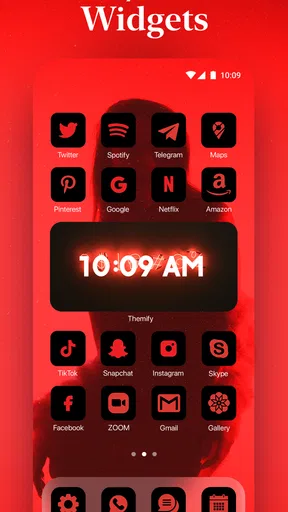
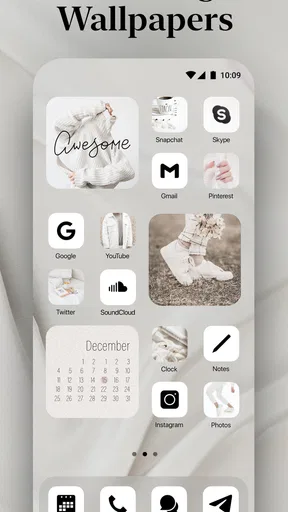
It doesn’t stop at icons and themes. Themify also lets you play around with widgets and wallpapers. I was particularly impressed with the variety of widgets available. From battery indicators to weather widgets, you can customize your home screen to not only look good but also be functional. The wallpapers are equally diverse, with high-quality images that cater to different tastes.
What I love is how the app allows you to integrate these elements seamlessly. You can mix and match widgets, icons, and wallpapers to create a cohesive look that reflects your style.
A realistic way to use that flexibility is to change the screen for a specific routine. Before a busy week, I might favor a simple wallpaper and leave room for the information I want to check at a glance; when I have more time, I can experiment with a more decorative arrangement. The useful question is not just whether a widget looks good, but whether its information earns the space it takes. If I never check it, removing it can make the rest of the layout easier to scan.
There is also a sensible order to the process: settle on the wallpaper first, then decide how much room icons and widgets need. A detailed background can compete with text and symbols, while a busier widget may make an otherwise calm screen feel crowded. I would make one change at a time and live with it briefly before adding more. That makes it easier to identify which element improves the screen and which one merely adds visual noise.
Seamless Integration and Performance
Now, onto something we all value—performance. I was pleasantly surprised by how smoothly Themify runs. There were no noticeable lags or crashes, which is a huge plus in my book. The app integrates well with different devices, and changing themes or icons doesn’t seem to affect the performance of my phone. It’s like giving your phone a makeover without compromising on speed.
The app also ensures that your customizations don’t interfere with app functionality. I didn’t encounter any issues with accessing apps or features post-customization, which is often a concern with such apps.
One distinction worth keeping in mind is the difference between a visual change and a change to how the phone behaves. Themify is useful when the goal is to alter the home screen’s appearance and arrangement, but it is not the same thing as replacing the phone’s underlying interface with a wholly different system. If your main frustration is a missing system feature, a visual makeover may not solve it. I would first identify whether I want a fresh look or a different way of navigating, because those are not always the same job.
Compared with choosing a wallpaper alone, an app like this offers more ways to coordinate the screen, though it also asks for more choices and setup. Compared with using only the phone’s built-in personalization tools, its draw is having themes and related visual elements gathered in one place. The trade-off is that a bundled style may not match someone who wants fine-grained control over every detail. If a native option already gives you the look you want, there is little reason to add another layer; if you want to browse combinations, Themify is the more appealing route.
A Few Things to Keep in Mind
While there’s a lot to love about Themify, there are a few things to consider. Some features are locked behind a premium subscription. If you’re someone who loves having unlimited options, you might find this a bit restrictive. However, the free version still offers plenty of customization options to play around with.
Another point to note is that the app does require certain permissions to function optimally. It’s worth taking a moment to understand what these permissions entail before proceeding.
Because the app is free to start but includes paid items, I’d explore the available free choices before deciding whether an upgrade is worthwhile. The listed purchase range runs from $1.99 to $19.99 per item, so I would check the exact offer in front of me rather than assume every style or tool comes with the same cost. The free experience is the sensible first step for someone who is curious but unsure how often they will change their screen.
Themify is currently at version 1.30.8 and requires Android 9 or later. It has been available since January 31, 2023, and has passed five million installs. Those details make it a well-established option to consider, but they do not guarantee that a particular setup will suit every device or that every user will enjoy the same visual choices. I’d use the app’s instructions as I customize and check the result on my own home screen rather than expecting a theme to look identical across different layouts.
Who will enjoy it—and who may not
I’d recommend this app to someone who likes changing the mood of their phone, enjoys matching visual details, or wants to try a coordinated screen without sourcing every piece separately. It is especially appealing if you enjoy browsing and are willing to spend a little time testing combinations. The photo-based icon option can also make sense for a few personal shortcuts, as long as quick recognition remains a priority.
I would skip it if I’m already happy with my home screen, dislike spending time on appearance, or want every customization option available without paid choices. It may also be the wrong tool if my priority is a deeply altered interface rather than a new visual style. In those cases, keeping the standard setup or using the device’s existing controls is simpler. For iOS readers, I would first check what customization options are available on their particular device; this app’s stated minimum operating system is Android 9, so it is not an iOS recommendation.
For me, the strongest case for Themify is not that everyone needs to customize a phone. It is that someone who already wants to personalize a screen can explore several related elements in one place, then keep only the changes that make daily use feel better. I would start with a wallpaper and a small icon adjustment, add a widget only if it serves a real purpose, and avoid paying until I know which options I actually want.
In conclusion, if you’re looking to inject some personality into your device, Themify: Theme & Icon Changer is definitely worth a shot. It provides a fun, easy, and effective way to revamp your phone’s look while keeping the interface smooth and user-friendly. So go ahead, give it a whirl and let your creativity run wild!
Pros
- Highly customizable themes
- Easy-to-use interface
- Regular updates with new content
- Compatible with most apps
- Free basic features
Cons
- Premium features are costly
- Limited free theme options
- Some themes may slow device
- In-app ads can be intrusive
- Occasional bugs with updates
FAQs for Themify: Theme & Icon Changer
What is Themify: Theme & Icon Changer?
Themify is a mobile application designed to customize your smartphone's appearance by offering a wide range of themes and icon packs. It allows users to personalize their home screens with unique styles, enhancing the overall aesthetic of their device. Available for both Android and iOS, it provides a user-friendly interface for seamless customization.
Is Themify compatible with all devices?
Themify is compatible with most modern Android and iOS devices. However, some older models might experience limitations in functionality or performance. It's recommended to check the app's specific compatibility requirements on its download page to ensure it will work smoothly on your device.
Does Themify require root access or jailbreaking?
No, Themify does not require root access for Android devices or jailbreaking for iOS devices. It is designed to work without altering system files, making it a safe and accessible option for users who want to customize their device without compromising its warranty or security.
Are there any in-app purchases or subscriptions in Themify?
Themify offers both free and premium content. While the app is free to download, some themes and icon packs may require in-app purchases or a subscription to access. This allows users to unlock exclusive designs and features, supporting continuous updates and new releases.
How frequently does Themify update its themes and icons?
Themify regularly updates its library with new themes and icons to keep your device looking fresh and up-to-date. Updates often include seasonal themes, trendy designs, and user-requested features. Users are encouraged to check the app frequently for the latest additions and improvements.


